What a respondent sees after submitting is set in the editor's Design → After Submission panel.
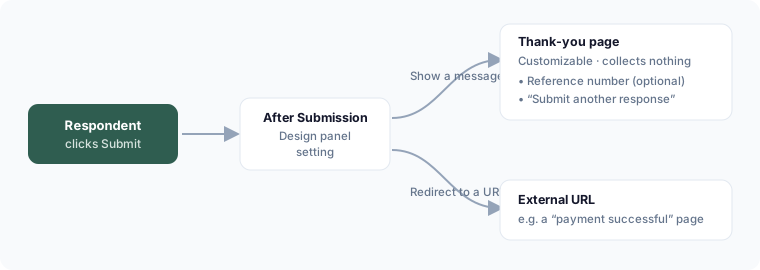
Show a confirmation message
Choose Show a message and edit the thank-you page directly. It's a fully customizable page — add headings, text, dividers, spacers, and images, the same way you build the form itself. It never collects answers and is excluded from validation, progress, and navigation.
Options on the confirmation:
- Show a reference number — gives the respondent a submission ID they can quote to you
- Allow another response — shows a "Submit another response" button
Redirect instead
Choose Redirect to a URL and enter the destination. On submit, the respondent is sent straight there (for example, a "payment successful" page or your own thank-you page).
Legacy forms
Forms created before the customizable thank-you page still work — they fall back to a standard confirmation message, and you can switch them to a custom page any time.