AI CRM
An AI CRM that helps you know what to do next
Turn customer data into actions, not just dashboards. Flowora brings your leads, contacts, forms, conversations, emails, WhatsApp interactions, and workflows together — then tells you what needs attention, what to do about it, and lets your team act without jumping between tools.
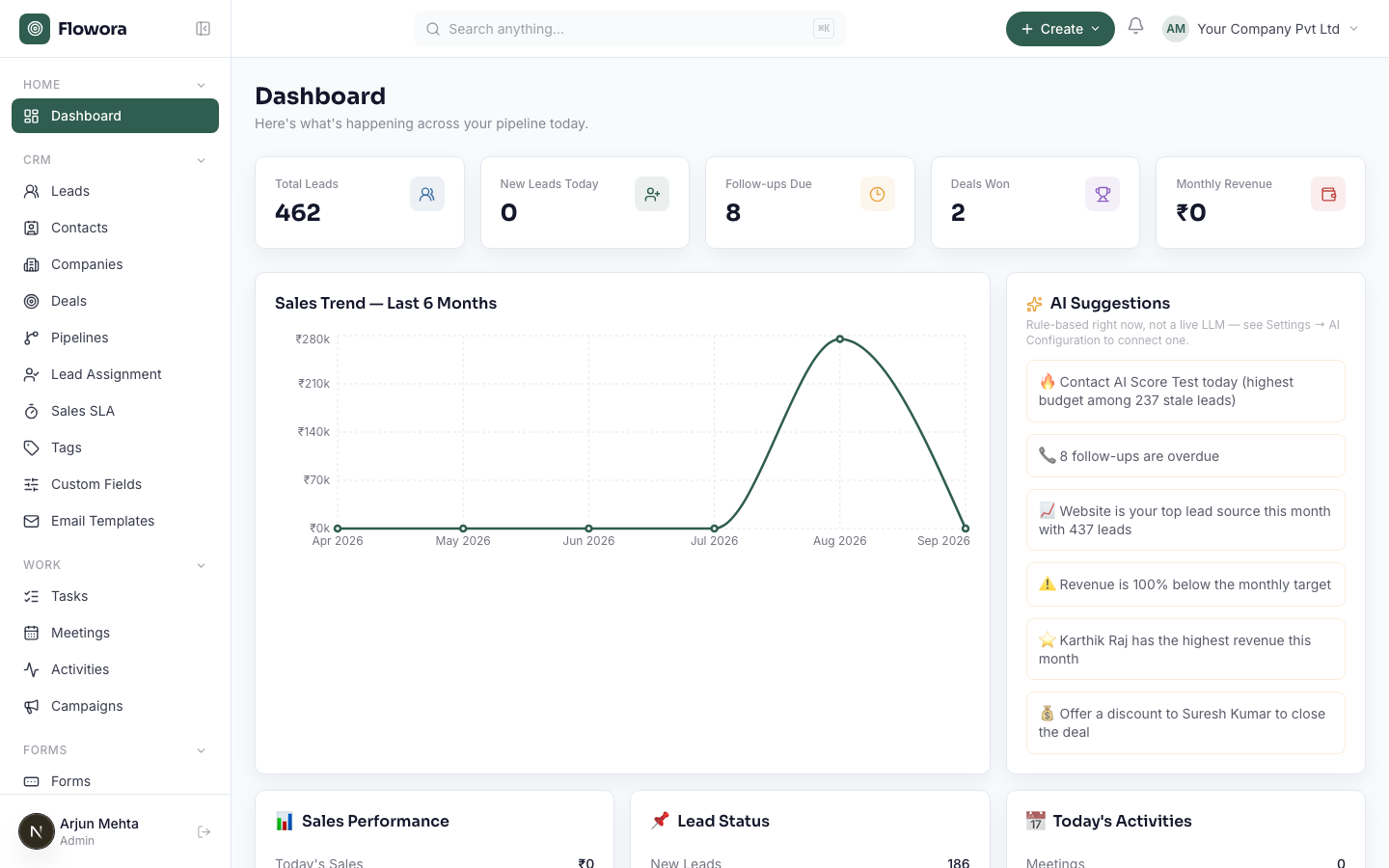
Your CRM should do more than store contacts
Traditional CRM systems tell you what happened. Flowora helps you understand what needs to happen next.
- What needs attention?
- Which leads are being forgotten?
- Which opportunities are at risk?
- Why did something happen?
- What should happen next?
- Where is your process getting stuck?
Next Best Action
Don't leave your team wondering what to do next. Flowora analyzes customer activity, deal information, conversations, forms, and workflow events to identify the next useful action.
AI Recommendation
Contact the customer today
Why?
- ₹12L opportunity
- No follow-up for 3 days
- Customer opened the last email
AI Exception Manager
Find problems before they become lost opportunities. Flowora continuously identifies unusual or stalled situations across your CRM and workflows — leads without an owner, deals that stopped progressing, approvals stuck too long, failed workflow actions, customers who stopped responding.
Needs Attention
Deal stalled — ₹12.5L opportunity, no activity for 11 days
Lead unassigned — high-value lead, created 4 hours ago
Approval delayed — waiting for 48 hours
Detect → Explain → Recommend → Act
Customer Intent Intelligence
Understand what customers are trying to tell you. Flowora brings signals together from forms, email, WhatsApp, and CRM activity to detect intent — ready to buy, pricing inquiry, comparing options, churn risk, upsell opportunity — so workflows can respond to intent, not just triggers.
AI detects
AI Follow-up Recovery
Recover opportunities your team forgot. Every CRM accumulates leads that were once interested but never received the right follow-up — Flowora finds them using activity and engagement history.
Potential recovery opportunity
Customer requested pricing 19 days ago.
Proposal was opened.
No follow-up since.
Recover OpportunityFlowora Agent
Talk to your CRM instead of searching through it. The Flowora Agent works with CRM data, forms, analytics, workflows, email, and WhatsApp through controlled tools and permissions.
AI Workflow Builder
Describe the process — Flowora builds the automation. Your existing workflow engine handles execution reliably; the AI just turns your request into a workflow you can review, modify, and publish.
Why did Flowora do that?
Every important automation should be understandable. Flowora shows the events, rules, conditions, and actions behind your workflows — no black-box automation.
Why was this WhatsApp message sent?
See what happened. Understand why. Take control.
Business Health at a glance
Instead of forcing your team to interpret dozens of CRM reports, Flowora surfaces the areas that need attention.
Leads
- New
- Qualified
- Unassigned
- Stale
Deals
- Active
- At risk
- Stalled
- Closing soon
Customers
- Engaged
- Inactive
- At risk
- Opportunities
Automation
- Running
- Completed
- Failed
- Needs attention
CRM + WhatsApp Conversations
Turn conversations into CRM activity automatically — responses, form answers, intent, and follow-up requirements all become real CRM data.
Conversation → CRM → AI → Workflow
Forms that feed your CRM
A Flowora form isn't just a data collection page — responses can create leads, trigger assignment, notifications, email, WhatsApp, approvals, and AI analysis.
Capture once. Use everywhere.
One platform. One customer context.
Flowora connects the systems your team uses every day.
- Forms
- CRM
- Workflows
- AI Agent
- AI Recommendations
- Intent Detection
- Exception Detection
- Follow-up Recovery
- Business Intelligence
- Explainable Automation
From CRM records to intelligent action
Traditional CRM
Capture → Store → Report
Flowora AI CRM
Capture → Understand → Detect → Predict → Recommend → Act → Learn
Your customer data shouldn't sit in a database waiting for someone to look at it. Let Flowora turn it into action.
Frequently asked questions
Is Flowora a CRM with AI bolted on, or something different?
Different. Most "AI CRMs" add a chatbot on top of the same store-and-report system. Flowora's AI runs across your leads, deals, forms, conversations, and workflows continuously — surfacing what needs attention, recommending next actions, and explaining why — not just answering questions when asked.
Do I have to configure the AI features, or do they work out of the box?
Next Best Action, Exception Manager, and Explainable Automation work on your existing CRM and workflow data with no extra setup. Intent Detection and Follow-up Recovery get more accurate as more conversations, forms, and activity flow through Flowora.
Can I see why Flowora recommended or automated something?
Yes — every recommendation and every automated action carries the reasoning behind it (which rule matched, what data triggered it, what happened before). This is built in, not a separate audit log you have to dig through.
Does this replace my existing workflow automation?
No — your existing workflow engine still handles execution reliably. The AI Workflow Builder is a faster way to create those workflows (describe it in plain language, review the generated steps, publish), not a replacement runtime.
What connects to the CRM today?
Forms, Email, WhatsApp, and your Workflows all read from and write to the same CRM records, so a form response, a WhatsApp reply, or a completed automation step all show up as the same kind of CRM activity — not siloed per channel.
Let AI run the busywork.
Start Building with Flowora →