Approvals let a submission require sign-off — one approver, or several in sequence.
Set it up
- In the form's Workflow, add an Approval step.
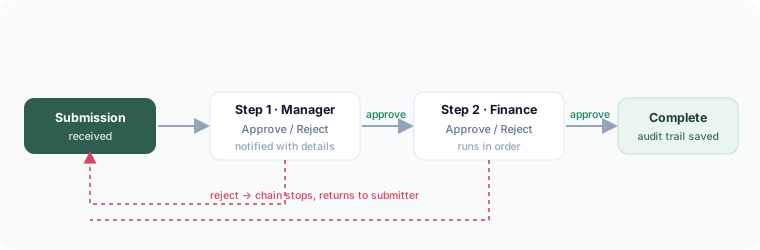
- Choose the approver(s). For multi-level, add multiple approval steps in order (e.g. manager, then finance).
- Optionally use a condition so the routing depends on the answers — e.g. amounts over a threshold get an extra approver.
What approvers see
Each approver gets a notification with the submission details and Approve / Reject buttons. A rejection stops the chain; an approval passes it to the next step.
Audit trail
Every decision is timestamped and recorded — who approved or rejected, and when. The full history stays attached to that submission.