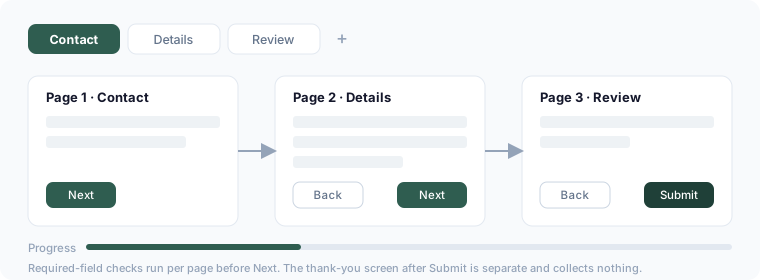
Splitting a long form into pages improves completion rates — respondents see a short set of questions at a time and a progress indicator.
Add a page
In the editor, use the page tabs above the canvas: click + to add a page. Drag fields onto whichever page they belong to.
Reorder and rename pages
Drag a page tab to reorder. Click a page name to rename it — the name shows as the section heading to respondents.
What respondents see
- One page of questions at a time, with Back / Next buttons
- A progress indicator
- Required-field checks run per page before Next
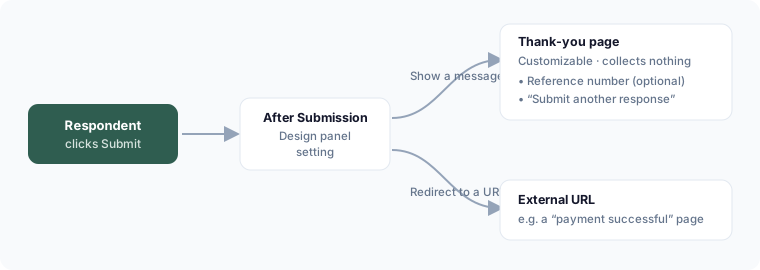
The thank-you page
The final screen after submit is configured separately — see Customize the thank-you page. It's not counted as a form page and never collects answers.