AI Form Builder That Creates Forms in Seconds
Create professional forms using AI. Generate forms from a prompt, PDF, Word document, image, or existing form—then automate approvals, workflows, and follow-up actions from one platform.
What Is an AI Form Builder?
An AI form builder generates a working form's fields, layout, and validation from a plain-English description or an existing document — instead of you dragging each field onto a canvas one at a time. Flowora's version reads a prompt, a PDF, a Word document, an image, or an existing Google Form, and produces an editable draft in seconds; every field it generates opens in the same drag-and-drop builder as a form built from scratch, so the AI is a faster starting point, not a black box you're stuck with.
Why Choose Flowora
- Build forms in under 30 seconds from a plain-English description
- Import PDFs, Word documents, and images instead of retyping them
- Customize every field with a drag-and-drop builder
- Automate approvals and email notifications
- Collect responses in real time
- Connect every submission to your CRM and workflows
Supported Imports
What You Can Create
See the Transformation
Real input, real AI output — not a mockup.
📝 Description → Form
Describe what you need in plain English — AI drafts the matching fields.
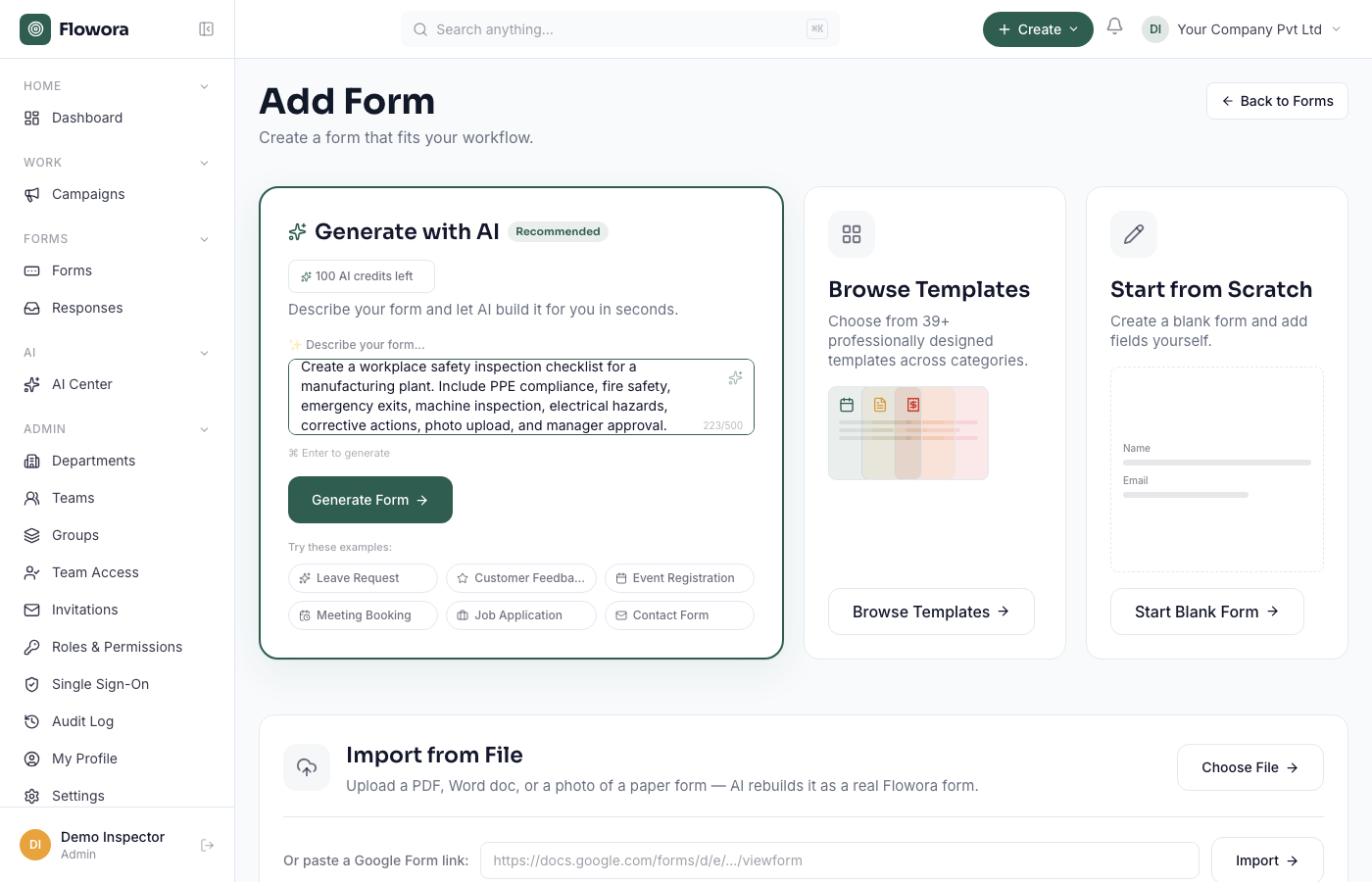
Input: a plain-English description
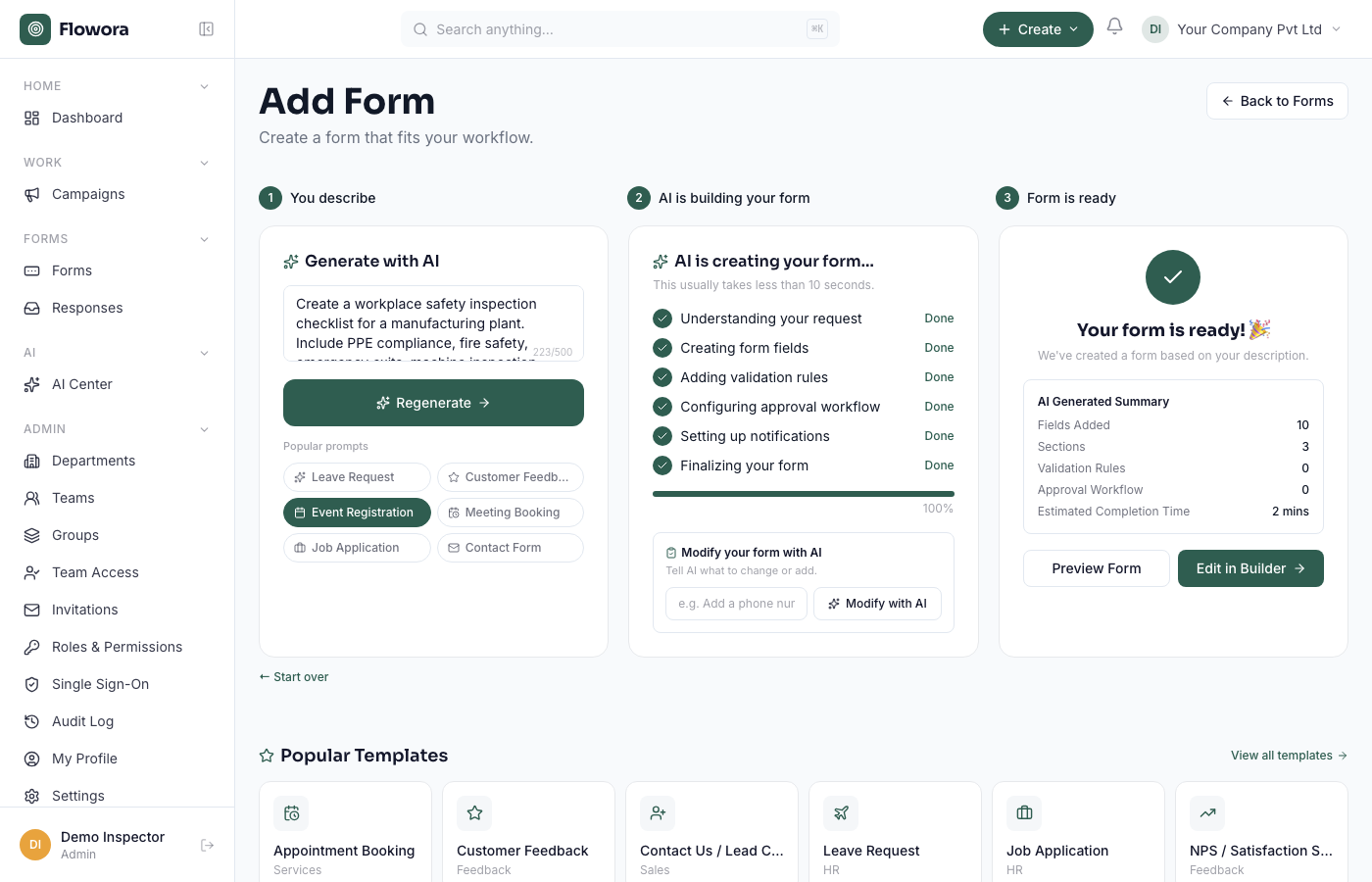
Output: the generated form
📄 PDF → Form
Upload any PDF — AI detects questions, fields, checkboxes, and tables automatically.
See PDF → Form in action🖼️ Image → Form
Upload a photo or screenshot of a paper form — AI vision reads the layout directly.
See Image → Form in actionSee Flowora in Action
Real screenshots — this is the actual product, not a mockup.
1. Describe what you need
The real prompt box on the Add Form page — type a plain-English description of any form.
2. AI builds the form
A real result: fields and sections generated in under 10 seconds, ready to review.
3. Edit in the real builder
Every AI-generated field opens in the same drag-and-drop editor as any other form — add, remove, or reorder anything before publishing.
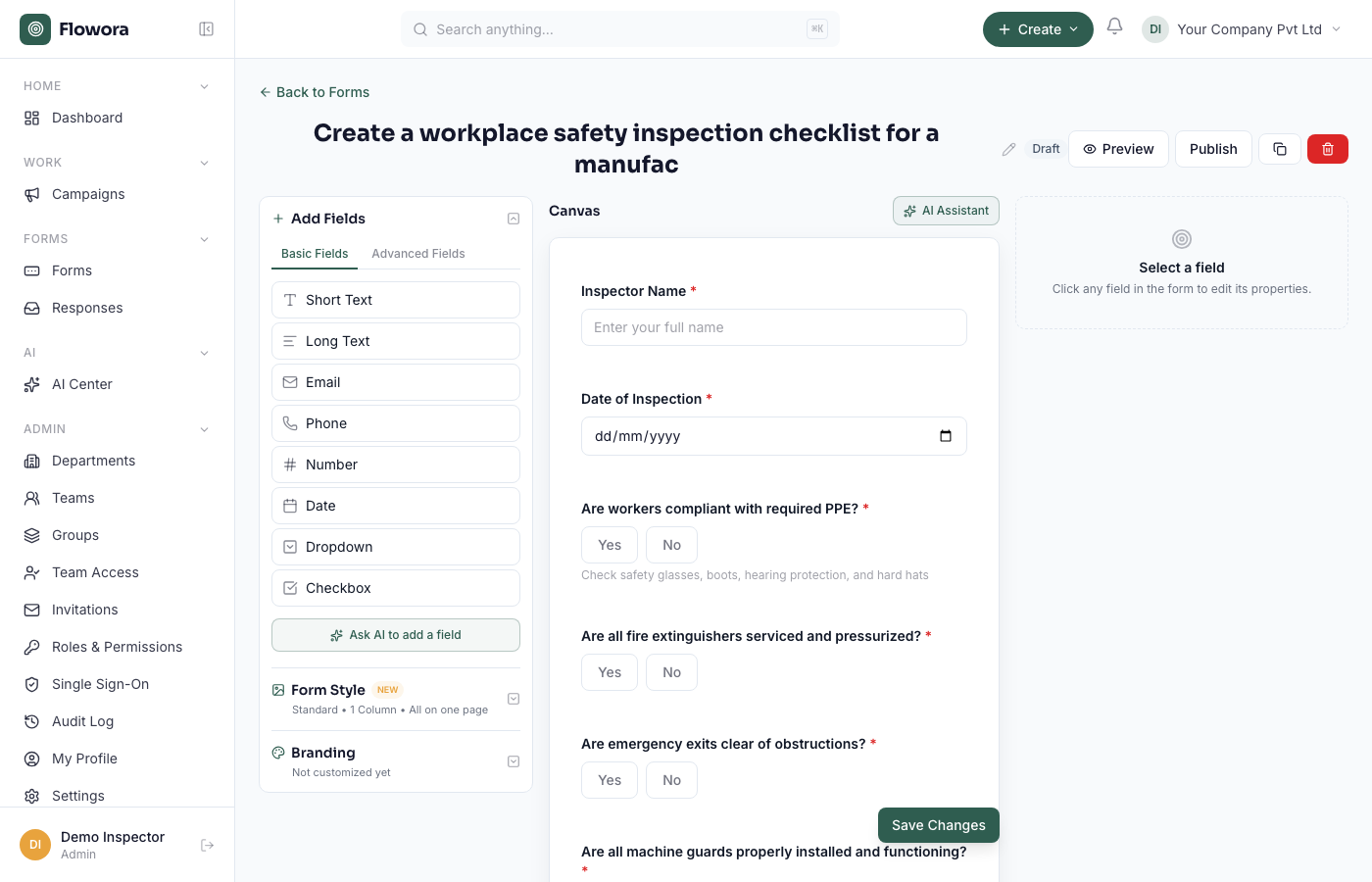
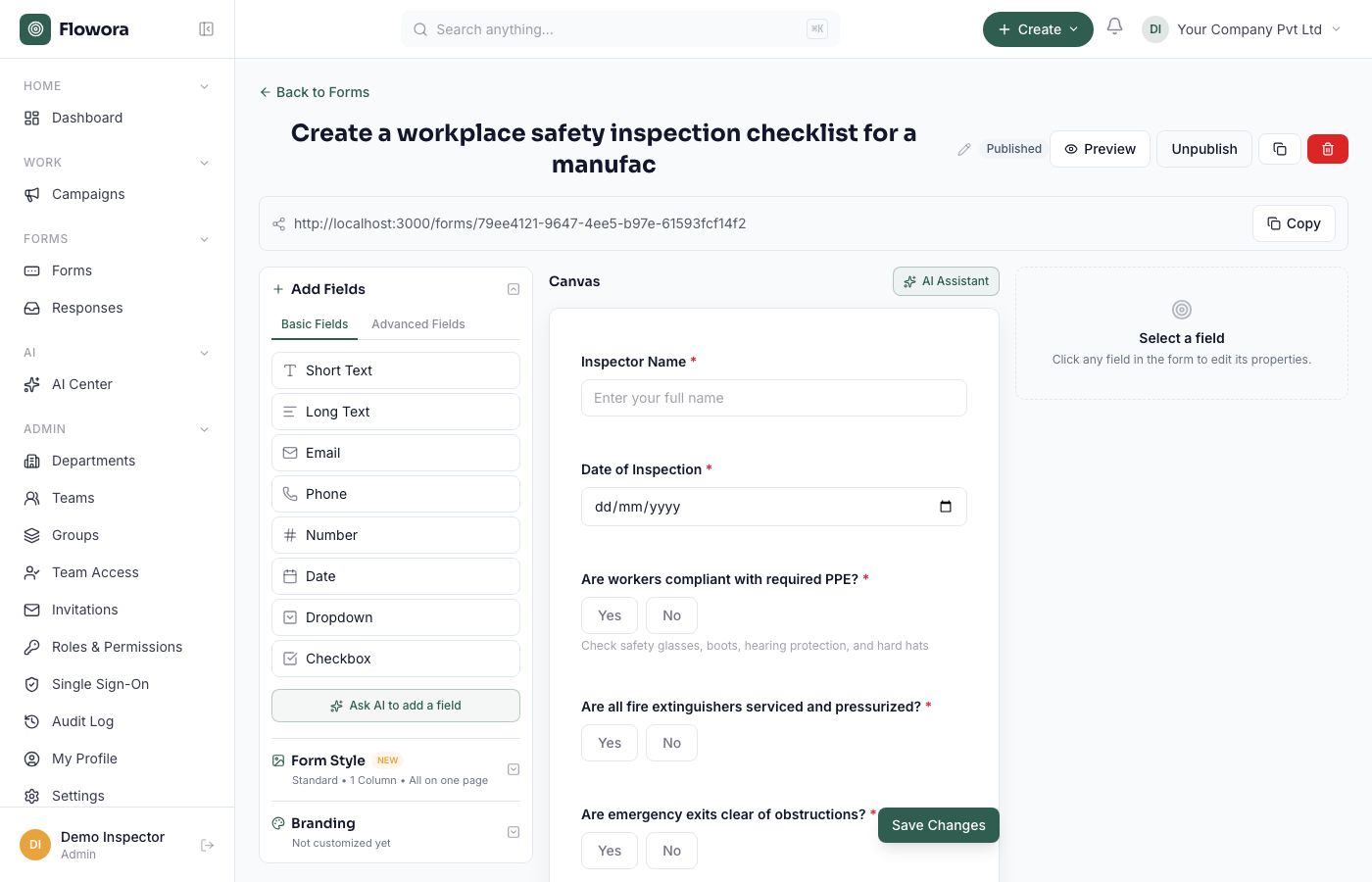
4. Publish
A real shareable link — copy it, embed it, or deliver the form over WhatsApp.
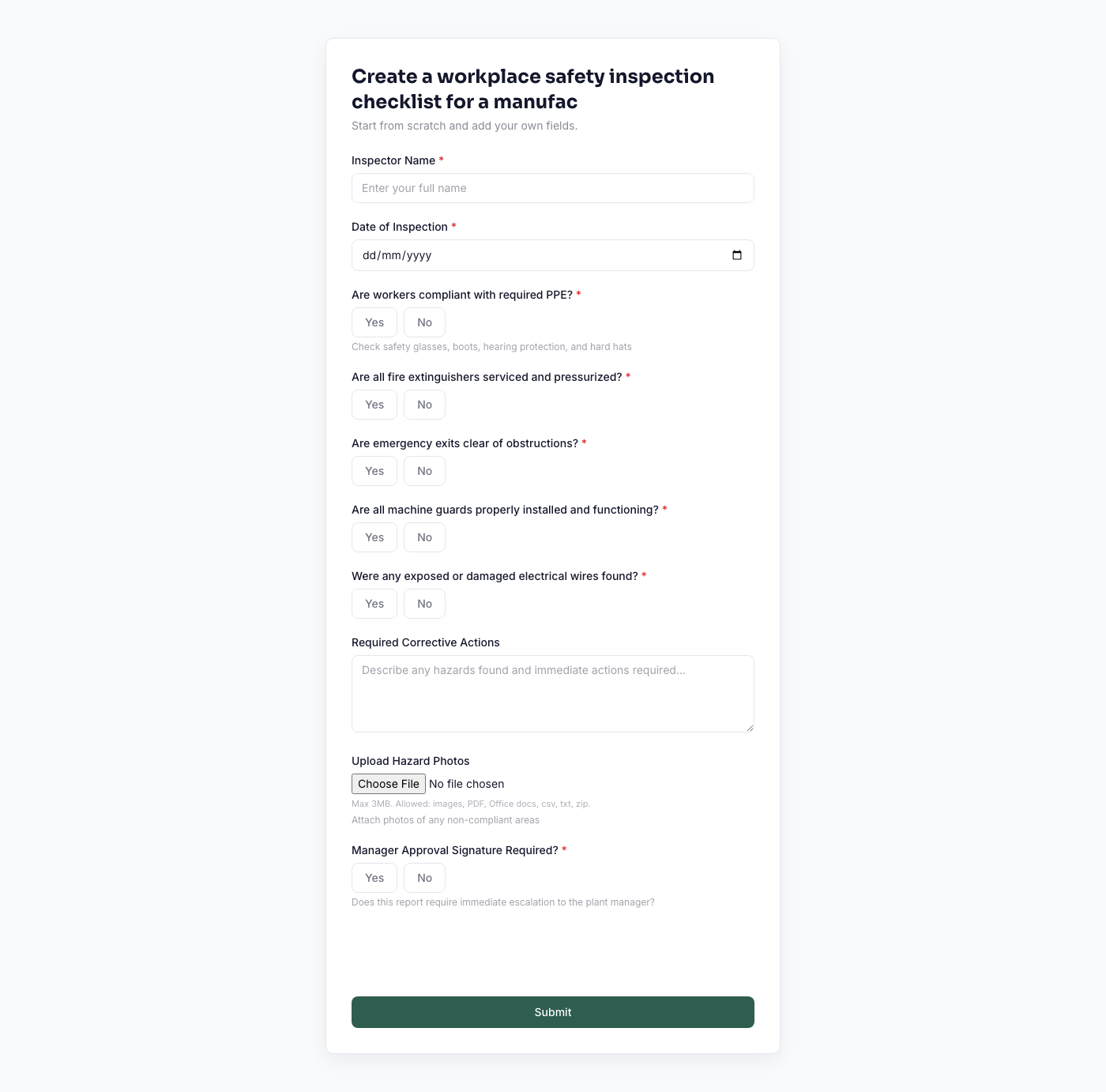
5. What your respondents see
The actual live form a respondent fills out.
AI Form Builder Features
- AI question generationDraft fields from a plain-English prompt instead of building from a blank page.
- PDF → FormUpload a PDF and the AI detects questions, fields, checkboxes, and tables automatically.
- Word → FormUpload a .docx document and the AI rebuilds its structure as an editable form.
- Image → FormA photo or screenshot of a paper form, read directly by AI vision — no separate OCR step.
- AI form optimizationAI Optimize reviews a published form and flags redundant or unclear questions before you publish.
- Conditional logicShow, hide, or require fields based on how earlier questions were answered.
- Approval workflowsRoute submissions through a multi-level approval chain automatically.
- Analytics, CRM & automationEvery submission can become a CRM lead and feed response analytics — no separate integration.
Why Use Flowora Instead of a Basic Form Builder?
- Understands documents, not just prompts — PDF, Word, and image import, not just a text box
- Every AI-generated field is still fully editable, not a locked template
- Approval workflows and conditional logic built in, not a separate add-on
- Submissions connect directly to a CRM — no Zapier-style integration required
- Free to build and publish on the Starter plan
From Form to Workflow
A submission doesn't have to be the end of the process. A Flowora form can route a response through a multi-level approval chain, create or update a CRM lead, notify the right person by email, and log every step to a searchable activity timeline — and every form can be delivered as a shareable link, embedded, or sent as a WhatsApp conversation instead of a web link.
Use Cases
HR
- Employee onboarding
- Leave applications
- Exit interviews
- Internal feedback forms
Sales
- Lead capture forms
- Customer onboarding
- Event registration
- Demo requests
Operations
- Purchase requests
- Vendor onboarding
- Inspections and checklists
- Equipment requests
Education
- Admission forms
- Student evaluation forms
- Consent forms
- Parent surveys
Business
- Customer feedback surveys
- Support/service requests
- Expense reimbursement
- Policy acknowledgments
Frequently asked questions
What is an AI form builder?
A tool that generates a form's fields, layout, and validation from a description or an existing document, instead of you building it field-by-field. Flowora's AI reads a prompt, PDF, Word document, image, or Google Form and produces an editable draft in seconds.
How does an AI form builder work?
You describe the form you need or upload a document; the AI extracts or generates the fields, sections, and question types; you review and adjust anything in the drag-and-drop builder; then you publish.
Is the AI form builder really free to try?
Yes — the Starter plan is free forever and includes AI-generated forms. No card required.
What can I generate a form from?
A plain-English description, a PDF, a Word (.docx) document, an image (PNG/JPG/WebP), or a Google Form URL.
Can AI create a form from a PDF?
Yes — upload the PDF and the AI detects questions, fields, checkboxes, and tables, including scanned or image-only PDFs read with AI vision.
Can I edit an AI-generated form?
Yes — every field, validation rule, and layout choice is editable in the drag-and-drop builder before you publish, the same builder used for any form.
Can I automate form responses?
Yes — a submission can route through an approval workflow, create or update a CRM lead, and trigger email notifications automatically, all without a separate integration.
Does the AI understand approval workflows?
You describe the workflow (e.g. "needs manager approval") and the AI configures the routing — you can still adjust it manually afterward.
What happens to my document after I upload it?
It's processed in memory to extract the form and never stored — see our Privacy Policy for details.
How is this different from a template library?
Templates are a fixed starting point; the AI builder generates fields specific to what you describe or upload, then you can still browse templates too.
Related Features
Start building AI-powered forms today.
Create Your Free Account