Conditions in field logic, conditional-required, data actions, page navigation, and workflow branches all use the same operators.
Text and choice fields
| Operator | Matches when the answer… |
|---|---|
| is | exactly equals the value |
| is not | does not equal the value |
| contains | includes the value as a substring |
| doesn't contain | does not include the value |
| starts with | begins with the value |
| ends with | ends with the value |
| is empty | has no answer |
| is not empty | has any answer |
Number and rating fields
| Operator | Matches when the answer… |
|---|---|
| is / is not | equals / doesn't equal |
| greater than | is above the value |
| less than | is below the value |
| is between | falls within a low–high range (inclusive) |
| is empty / is not empty | has no answer / any answer |
Date and time fields
| Operator | Matches when the answer… |
|---|---|
| is / is not | is exactly / not that date |
| before | is earlier than the value |
| after | is later than the value |
| is between | falls within a date range |
Combining
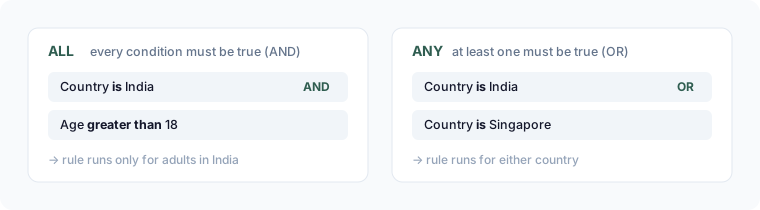
Every rule combines its conditions with ALL (every condition true) or ANY (at least one true).