Follow these steps to bring the form in:
Google Forms
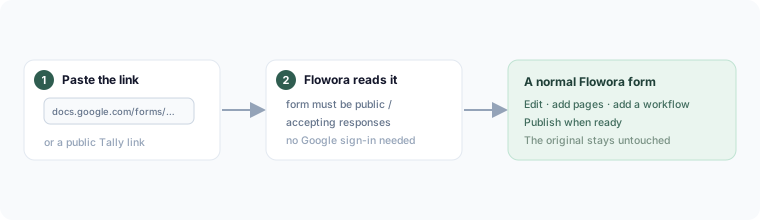
Paste a public Google Form link (the docs.google.com/forms/…/viewform URL) into New form → Import. Flowora reads the form's questions and rebuilds them as an editable Flowora form. The form must be public / accepting responses — a form restricted to an organization can't be read from just a link. No Google sign-in is needed for this.
Tally
Paste a public Tally form link the same way.
Other builders
Support for more providers is being added. If yours isn't listed yet, the fastest route is to export it to PDF and use Import a PDF.
After importing
The imported form is a normal Flowora form — edit it, add pages, add a workflow, publish. The original is untouched.