Safety Inspection Checklist
Describe your safety inspection checklist and Flowora's AI builds it in seconds. Every screenshot below is the real product — not a mockup.
Why Choose Flowora
- Build a full checklist in seconds from a plain-English description
- AI detects Yes/No checks, text fields, and photo-upload fields automatically
- Every generated field is editable in the drag-and-drop builder before you publish
- Share a link directly, or deliver it over WhatsApp
- Responses land in a searchable table you can export to CSV or Excel
- Free to build and publish on the Starter plan
A real screen recording of Flowora — not a mockup.
See Flowora in Action
Real screenshots — this is the actual product, not a mockup.
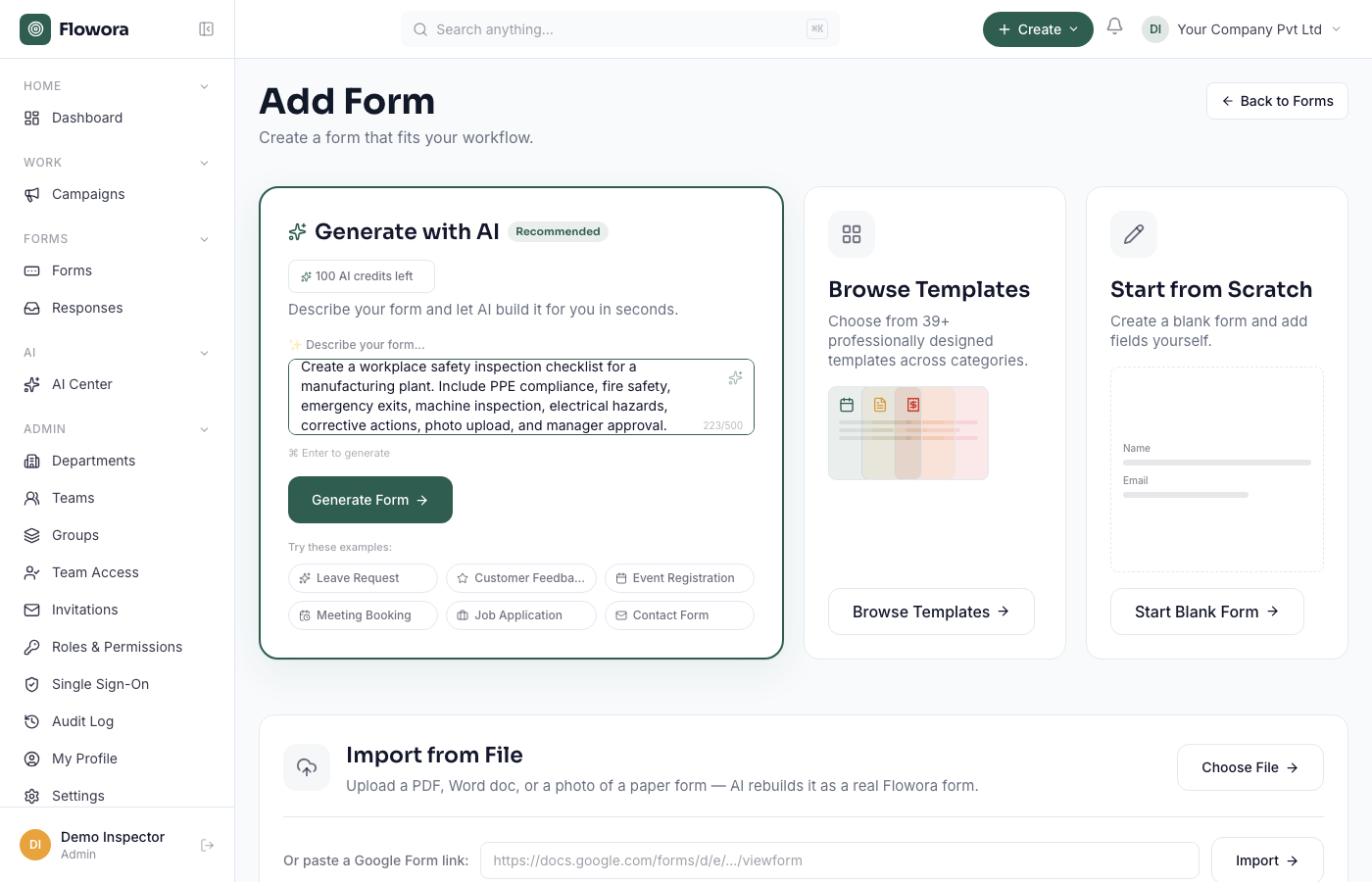
1. Describe what you need
Real prompt box on the Add Form page.
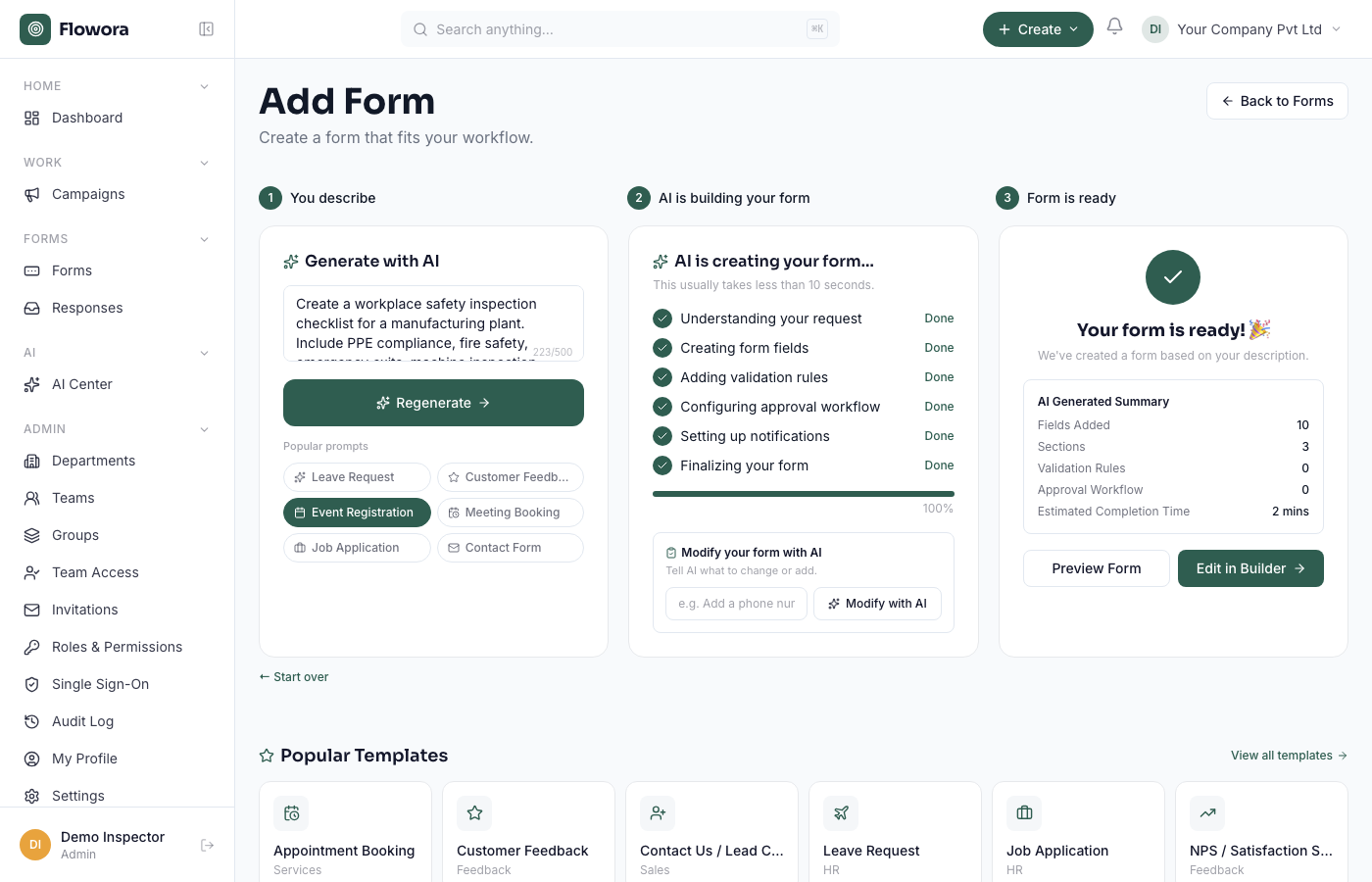
2. AI builds the checklist
Real result: 10 fields, 3 sections, generated in under 10 seconds.
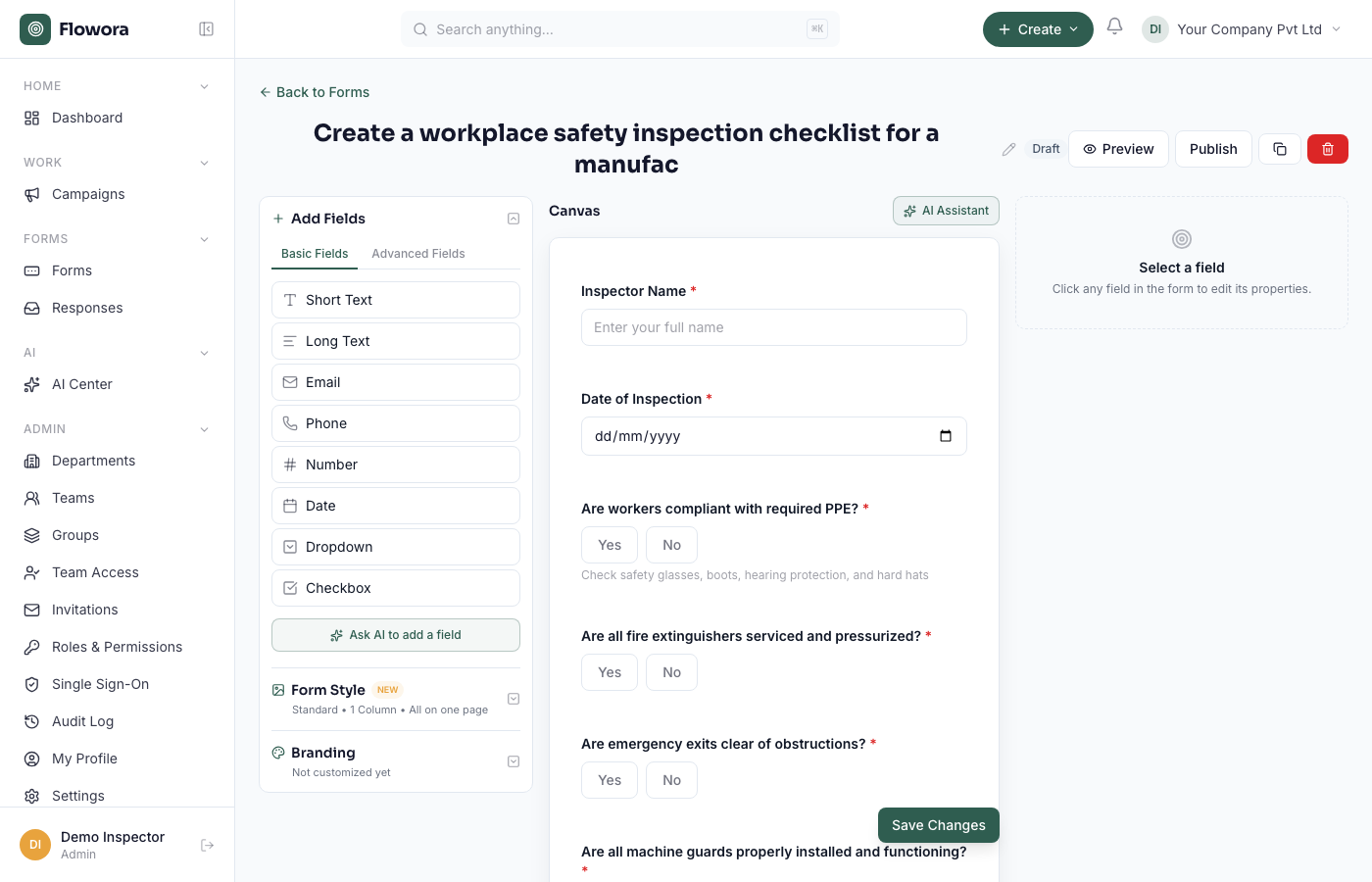
3. Edit in the real builder
Every AI-generated field opens in the same drag-and-drop editor as any other form — add, remove, or reorder anything before publishing.
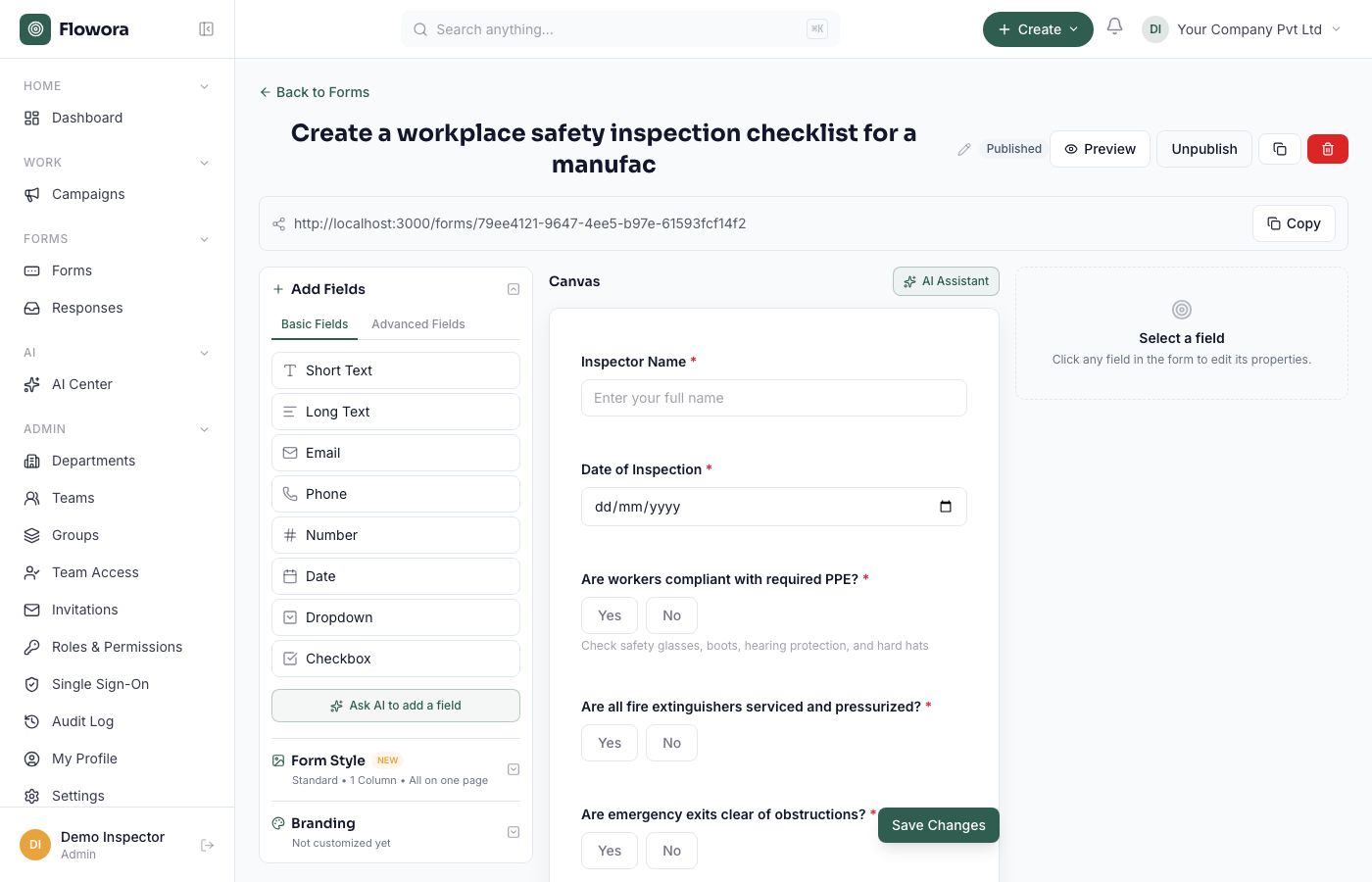
4. Publish
A real shareable link — copy it, or deliver the form over WhatsApp.
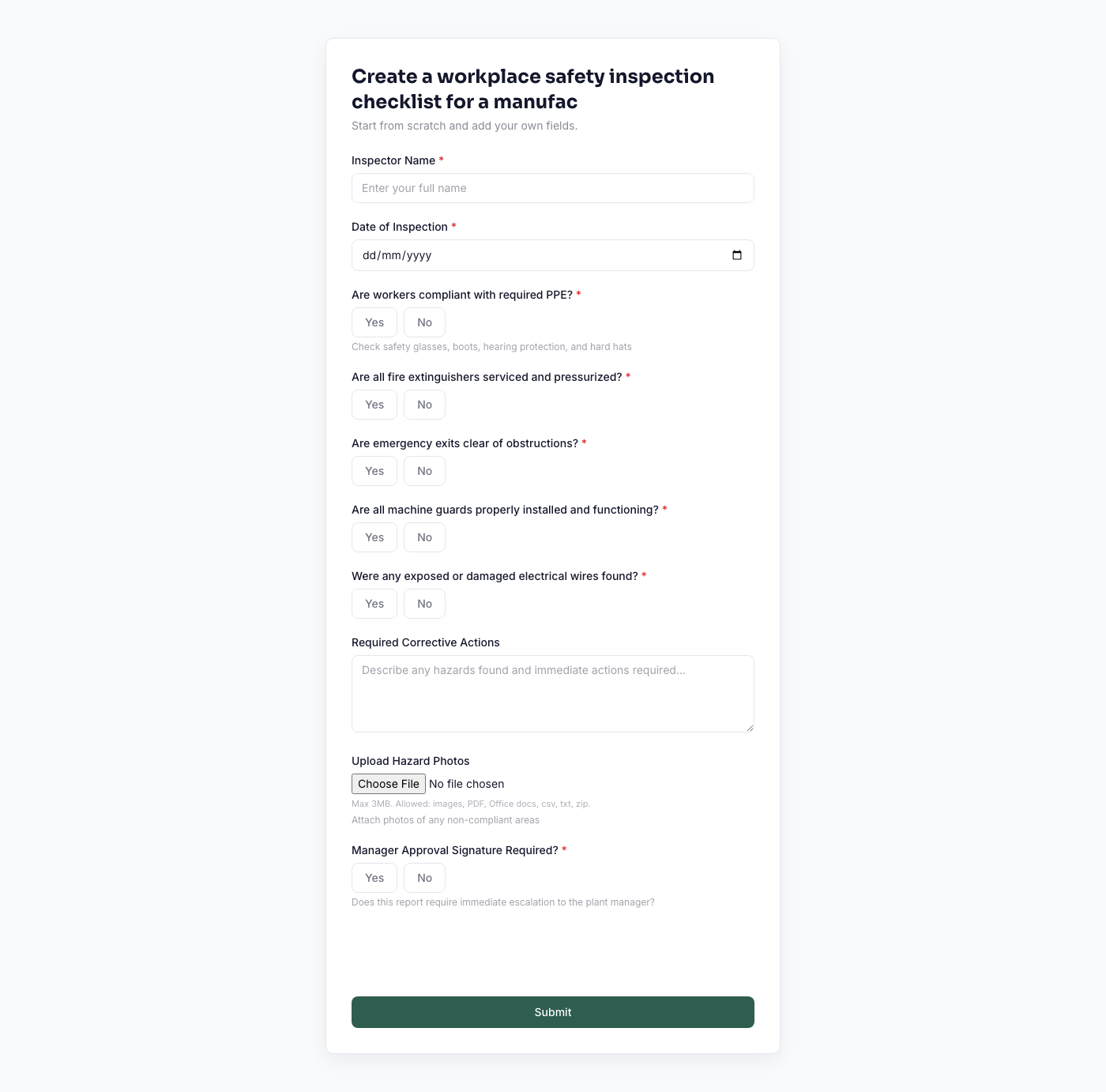
5. What your team sees
The actual live form a respondent fills out.
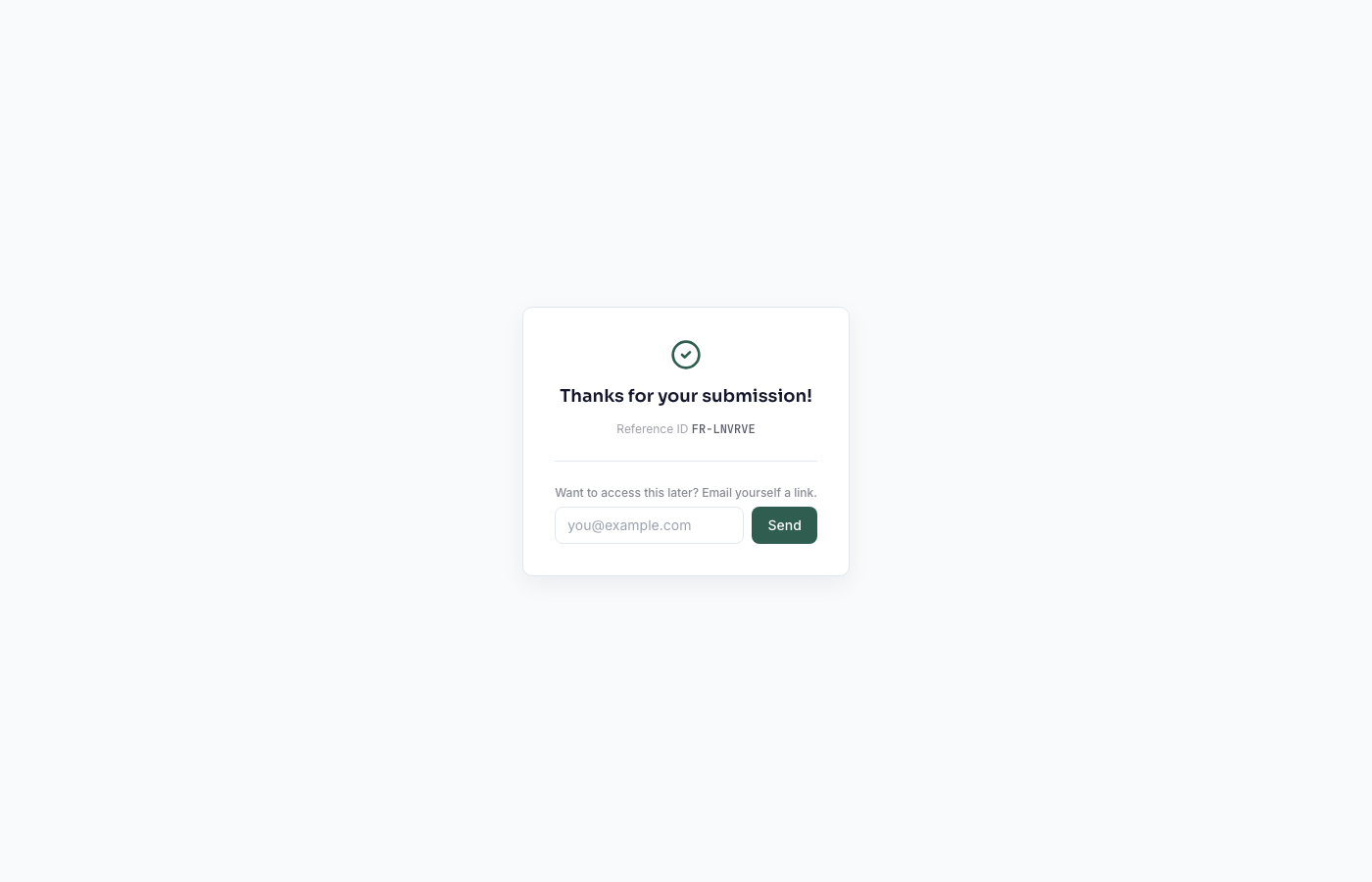
6. Submission confirmed
A real reference ID on every submission.
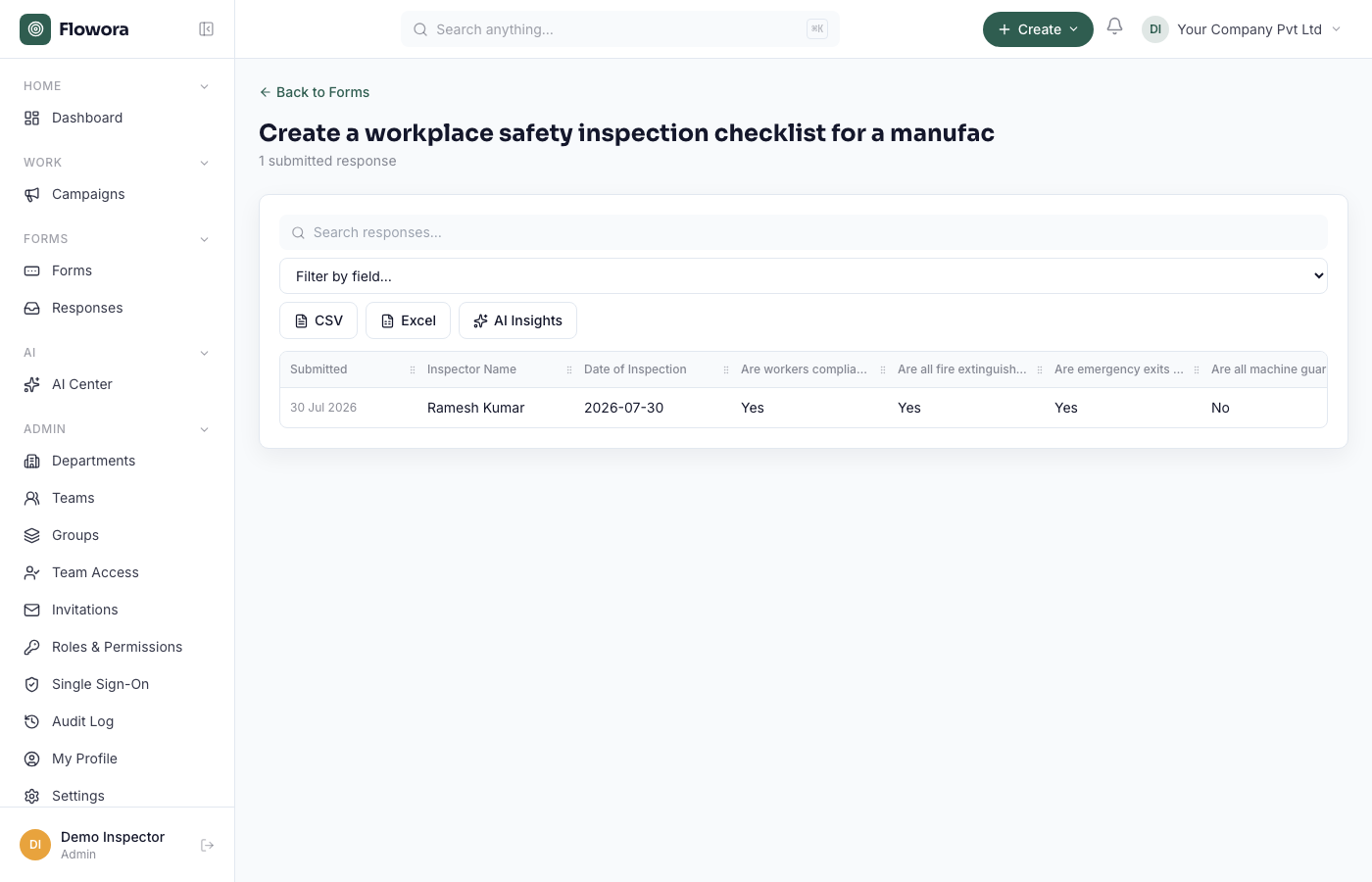
7. Responses, ready to export
Every answer lands in its own column — export to CSV or Excel anytime.
Use Cases
Frequently asked questions
Does the AI also set up manager approval, or just ask about it?
The AI adds a question about approval (e.g. "Manager Approval Required?") as a field on the form — it doesn't automatically configure a real multi-level approval workflow. Approval routing is a separate, one-time setup step you configure yourself once the form exists, and then it applies to every future submission.
Can inspectors attach photos of hazards?
Yes — photo/file upload is a real field type, and the AI adds one automatically when your description mentions photos or attachments.
How do I share the checklist with my team?
Publish gives you a plain shareable link (copy and send however you like), or you can deliver it as a WhatsApp conversation. There's no QR code or website-embed option today.
Can I export the responses?
Yes — CSV and Excel export are both available directly from the Responses table.
Is this actually free to try?
Yes — the Starter plan is free forever. AI-generated forms specifically require the Growth plan or higher; Starter accounts can still build the same checklist manually in the drag-and-drop builder or from a template.
Related Features
Build your safety inspection checklist for free.
Start Free →